You know the feeling? In the front office or at reception the Wi-Fi is perfect — but the moment you step into the meeting room, the kitchen, or the back area, the connection drops or becomes too slow for productive work.
Or at home: Netflix runs smoothly in the living room, but on the upper floor or in the garden the connection comes and goes. In a three-story villa or a luxury property on the water, strong Wi-Fi in every room seems like a dream.
It isn’t. And the best part: the problem can be solved permanently — without laying a single meter of cable.

Why Isn’t One Router Enough?
A standard router was designed for a flat of maybe 80–100 square meters. In an office with multiple rooms and thick concrete walls, or in a large house where dozens of devices connect simultaneously, a single router simply cannot cope.
The problem is not just range. Devices stubbornly cling to their current access point even when the signal is weak, instead of switching to a stronger one. This phenomenon is called the “Sticky Client” problem — and many users deal with it daily without knowing it.
The Solution: Mesh — Done Right
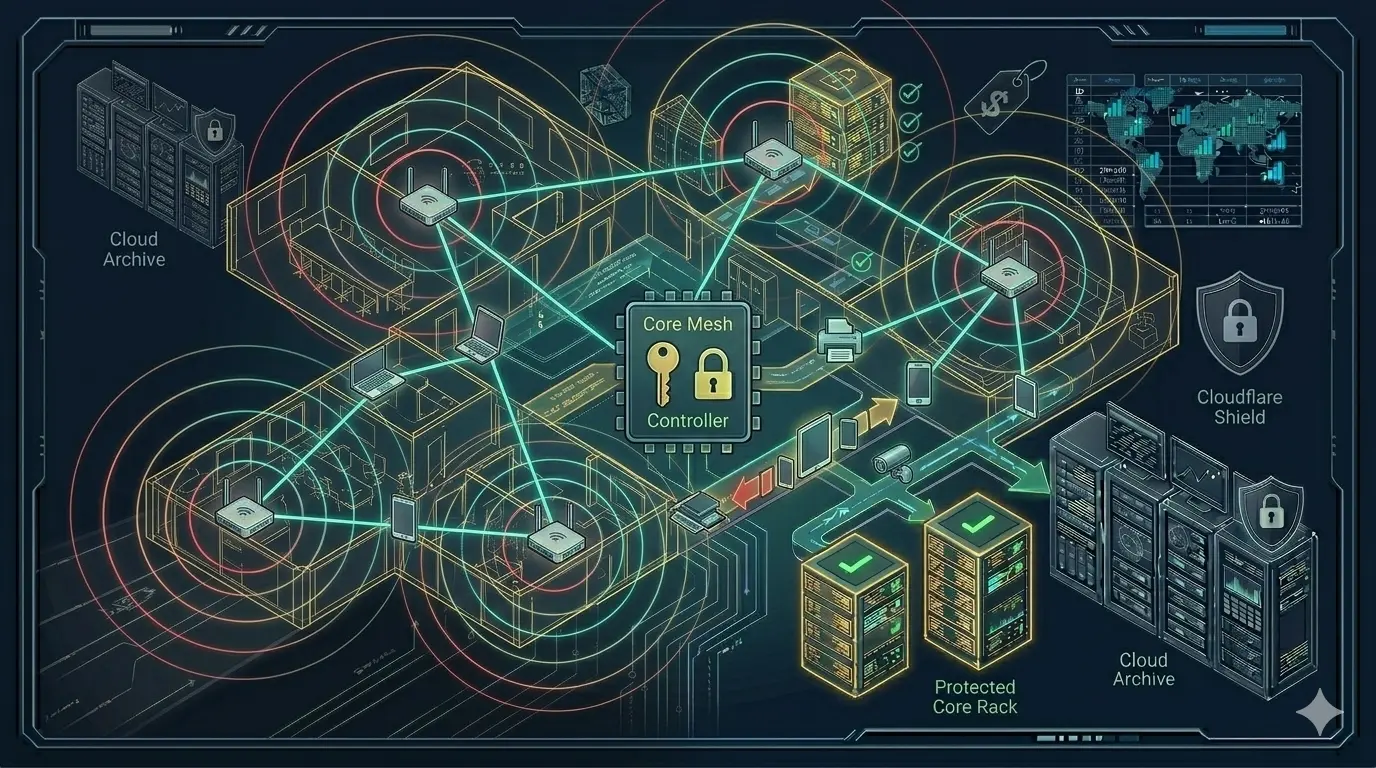
Mesh networks allow multiple access points to communicate with each other and form a single seamless network. But not all mesh systems are equal.
Cheap consumer mesh systems may be sufficient for a small flat. But when 30+ devices connect simultaneously in a three-story villa, or 15 employees work online in an office, these systems quickly hit their limits.
Aruba Instant On and ClientMatch Technology
Aruba is HP’s professional networking brand. The Instant On series brings enterprise know-how to small businesses and premium home users at an accessible price.
The feature that truly sets Aruba apart is ClientMatch technology:
A standard access point connects your device and then leaves it alone. You walk from room to room, but your phone stubbornly holds onto the weak access point fifteen meters behind you. ClientMatch keeps all access points in constant communication. The moment signal quality drops, the system automatically directs your device to the strongest available point — seamlessly, without interruption.
This is especially important in scenarios like:
- Moving between floors or from the house to the garden
- Employees moving around a large open-plan office
- The homeowner walking between rooms during a video call
How Does It Work Without Cables?
With Aruba Instant On, access points communicate wirelessly with each other. One is connected to the internet via cable; the others are fed by it:
Internet → Modem/Router
                ↓ (cable — just this one)
         Main Aruba AP (ground floor)
                ↓ (wireless mesh)
         2nd Aruba AP (1st floor)
                ↓ (wireless mesh)
         3rd Aruba AP (2nd floor / garden)
Wherever there is a power outlet, an access point can be placed. Nothing more is needed.
The Design Works Too
Aruba Instant On devices impress not just technically but visually. Their minimalist white design fits effortlessly on a desk, a bookshelf, or next to the TV. Ceiling mounting is not required.
Beyond Wi-Fi: Switches, PoE, and Camera Integration
The Aruba Instant On ecosystem goes far beyond Wi-Fi. By adding mini PoE switches, a much more comprehensive infrastructure can be built:
What is PoE (Power over Ethernet)? Data and power are transmitted over a single Ethernet cable. For camera installations, this is a real game-changer:
Aruba PoE Switch
      ├── Aruba AP (Wi-Fi — powered via cable)
      ├── IP Camera 1 (power + data, one cable)
      ├── IP Camera 2 (power + data, one cable)
      └── IP Camera 3 (power + data, one cable)
No separate electrician needed for the cameras. A single Ethernet cable handles everything.
Security
With Aruba Instant On, the employee network and guest network are completely isolated from each other. Anyone connected to the guest Wi-Fi cannot access internal systems, NAS storage, or printers — critical for both security and GDPR compliance.
From Practice: A Law Firm
A small law firm, three office rooms. In the two back rooms where the lawyers work, the connection kept dropping. Video calls were interrupted.
The solution: two Aruba Instant On APs added — one in the corridor, one in the back office — connected via wireless mesh. Installation took two hours, during business hours, without a single minute of downtime.
The result: strong, stable connection in every corner. Separate networks for staff and clients. Video calls run smoothly.
Conclusion
Wi-Fi problems usually have a simpler solution than they first appear. No cables to lay, no walls to open up. With the right devices and ClientMatch technology, seamless, high-performance Wi-Fi is completely achievable in every corner of your office or every floor of your villa.
Message me on WhatsApp for a free analysis — I usually respond within an hour.
📱 WhatsApp: wa.me/4916098665971
Related Articles
Protection & Security
- 💾 Your NAS Without RAID Is a Ticking Time Bomb — Data backup with AWS S3
- 🔋 What Happens When the Power Goes Out? — UPS protection for offices and practices
- 🔒 SSL Certificate — Why “Not Secure” Costs You Customers — Website security for SMBs
Architecture & Infrastructure
- 🏗️ Switch, Firewall, AP — Why Choosing the Right Products Is Not Enough — Architecture-first network design
- 📐 IT Infrastructure Is Not a Collection of Products — System thinking for resilient IT