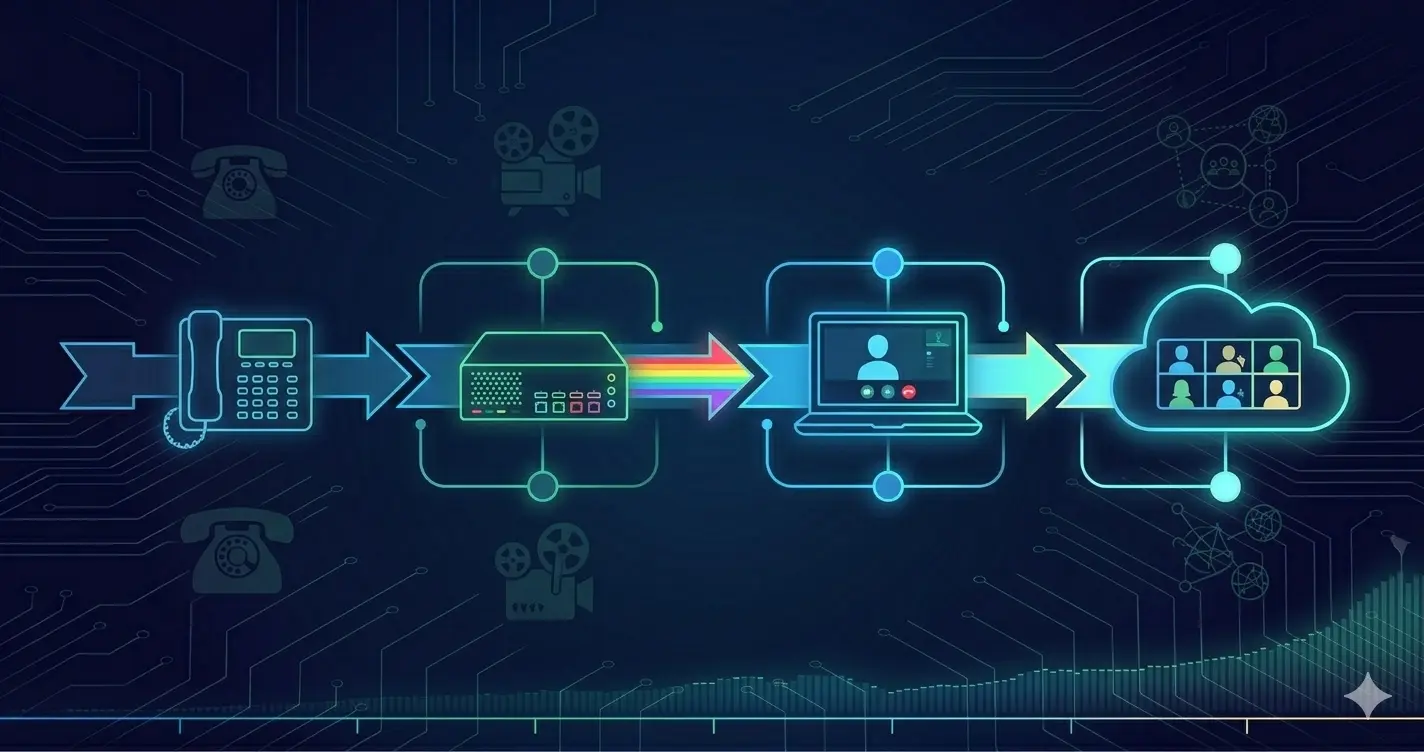
Enterprise Collaboration Infrastructure: From IP Phones to the Cloud Era
There is a useful thought experiment for anyone who works in enterprise IT: think back to what it took to connect a conference room in one city to a conference room in another city in 2010. Now compare that to what it takes today.
In 2010, you needed a dedicated codec device at each end, a qualified video conferencing engineer to configure the call settings, a provisioned ISDN line or carefully configured IP infrastructure, and significant lead time to test the connection before the meeting. If the codec firmware versions didn’t match, if the firewall ports weren’t exactly right, or if the far-end IT team had done their configuration differently, the call wouldn’t connect.
Today, someone creates a Webex or Teams link, shares it in a calendar invite, and everyone joins from wherever they are — laptop, phone, dedicated room system — with one click. The room hardware knows what to do automatically.
What happened between those two points is one of the most significant architectural transformations in enterprise IT over the past two decades. This article traces that transformation.
Chapter 1: The IP Telephony Era — When the Phone Became a Network Device
The Shift from Analog to IP
Before IP telephony, enterprise phone systems ran on PBX (Private Branch Exchange) infrastructure — purpose-built hardware completely separate from the data network. The IT team managed the data network; the facilities or telephony team managed the PBX. These were parallel worlds.
IP telephony changed this fundamentally. The phone became a network endpoint — just another device with an IP address, connecting to the data network instead of a dedicated voice circuit. The PBX was replaced by a call processing server running on standard hardware.
For Cisco, this meant Cisco Unified Communications Manager (CUCM) — a software platform running on dedicated servers (later on UCS hardware) that handled all call routing, dial plan management, voicemail integration, and phone provisioning. A Cisco IP phone would boot, receive its configuration from CUCM via TFTP, register with CUCM via SCCP or SIP, and be ready to make calls — entirely over the data network.
What CUCM Looked Like in Practice
A typical mid-sized enterprise CUCM deployment:
CUCM Publisher (primary)
CUCM Subscriber x2 (for redundancy)
CUCM IM & Presence (instant messaging)
Unity Connection (voicemail)
Cisco Emergency Responder
Cisco IP Phones (7900 series, 8800 series)
The dial plan — the set of rules determining how calls were routed, which numbers were internal, which required trunk access, how calls to other sites were handled — lived entirely in CUCM configuration. This was powerful but required significant expertise. A dial plan for a company with 10 offices across 3 countries could involve hundreds of route patterns, translation patterns, hunt groups, and call forwarding rules.
CUCM upgrades were a project in themselves. Each major version required careful pre-upgrade testing, a maintenance window, and often a rollback plan. The Cisco CUCM upgrade process — verifying versions, running the upgrade wizard, waiting for subscriber nodes to sync, verifying all phones re-register — could take hours for a large cluster. I’ve been through enough of these to know that skipping the preparation steps is where the problems start.
MPLS and VPN: Making Multi-Site Voice Free
One of IP telephony’s most compelling early business cases was inter-site calling. Previously, a call from the Istanbul office to the Ankara office went out through the PSTN — paid per minute, like any other call.
With IP telephony over a corporate WAN, that same call stayed inside the network entirely. The call went: Istanbul phone → Istanbul CUCM → MPLS/VPN connection → Ankara CUCM → Ankara phone. Zero PSTN cost. For companies with dozens of offices and hundreds of daily inter-site calls, this alone justified the IP telephony migration.
MPLS was the dominant WAN technology for this — private, low-latency, predictable. MPLS connected sites in a hub-and-spoke or full-mesh topology, and voice traffic was quality-of-service (QoS) prioritized to ensure call quality.
IPsec VPN served smaller sites where MPLS was too expensive — a branch office might connect back to headquarters via IPsec over the internet, with CUCM at headquarters serving phones at the branch.
The configuration required for this was non-trivial. QoS policies had to be consistent across every network segment the voice traffic traversed. Codec selection (G.711 vs. G.729) had to balance call quality against bandwidth consumption. Call Admission Control had to prevent too many simultaneous calls from saturating a WAN link. All of this was configured, managed, and troubleshot manually.
Chapter 2: Video Enters the Picture — And Brings Complexity With It
The Hardware Video Conferencing Era
Video conferencing in enterprises didn’t start with software. It started with dedicated hardware — purpose-built codec devices that handled video encoding/decoding, connected to large screens, and communicated over ISDN or IP using the H.323 or SIP video protocols.
The dominant vendors were Cisco (TelePresence), Polycom, and Tandberg (which Cisco acquired in 2010, absorbing their technology into the TelePresence product line).
A Cisco TelePresence IX5000 room system — the high end of the product line — was an immersive three-screen setup designed to create the feeling of sitting across the table from remote participants. It was impressive engineering. It was also extremely expensive: the hardware alone ran hundreds of thousands of dollars per room, plus dedicated network infrastructure and IT support contracts.
More commonly deployed were mid-range systems — a Cisco SX80, a Polycom Group Series, a Tandberg C-series endpoint. These were still dedicated hardware: a codec unit, one or two screens, a camera, and a microphone array. Each room had its own device, its own IP address, its own registration to the video infrastructure.
The Infrastructure Behind Video
Making video calls work in an enterprise required more than just the endpoint hardware. You needed:
Cisco VCS (Video Communication Server): The call control platform for video — the equivalent of CUCM but for video endpoints. VCS Expressway handled business-to-business calls and external video connectivity. VCS Control handled internal endpoints.
MCU (Multipoint Control Unit): When more than two endpoints needed to be in the same video call, you needed an MCU to mix the audio and video streams. The Cisco Codian MCU, later the MSE 8000 series, handled this. Each MCU had a license for a certain number of simultaneous ports — and running out of MCU capacity meant no more conference bridges available.
Infrastructure for external connectivity: Calling someone outside your organization’s video infrastructure required traversal servers, firewall traversal configuration, and often federation agreements between organizations. Two companies from different vendors — one on Cisco, one on Polycom — couldn’t always call each other without a gateway or protocol translation.
The configuration complexity: To schedule a video conference room call in 2012, you might need to: reserve the MCU conference bridge, configure the dial string for each endpoint, test the connectivity the day before, verify codec compatibility, and have an IT person standing by during the call in case something didn’t work.
This wasn’t because the engineers didn’t know what they were doing — it was because the system’s complexity genuinely required it.
The Quality Problem
Internet video calling existed during this period too — Skype for consumers, various early enterprise tools. But enterprise organizations with real quality requirements didn’t trust the public internet for video. They used their private MPLS networks for inter-site calls and ISDN for external calls. Internet quality was unpredictable, latency was variable, and packet loss made video calls unwatchable.
This created a two-tier reality: high-quality, expensive, infrastructure-dependent video for formal meetings; and unreliable consumer tools for informal use. Neither was satisfying.
Chapter 3: The Cloud Shift — Why Everything Moved
The Trigger: Internet Got Good
The migration of collaboration infrastructure to the cloud wasn’t driven by a single decision or technology breakthrough. It was driven by a gradual shift in what the public internet could reliably deliver.
As internet connections became faster, more reliable, and more consistent — both in enterprises (100 Mbps to 1 Gbps WAN connections becoming standard) and for remote workers — the quality gap between private network video and internet-based video narrowed. Software clients on laptops got better at adapting to variable network conditions. Video codecs (H.264, then VP9, then H.265) became more efficient.
When internet video quality became genuinely acceptable for business use, the calculus changed. The expensive on-premise infrastructure — CUCM clusters, VCS servers, MCU bridges — started to look like overhead rather than necessity.
The Economic Argument
On-premise unified communications infrastructure had significant ongoing costs:
- Server hardware refresh cycles (every 4–5 years)
- Software licensing (CUCM licenses per user, per device)
- Support contracts with Cisco (SmartNet)
- IT staff to manage, upgrade, and troubleshoot the system
- Data center space, power, and cooling for the servers
Cloud-based collaboration shifted this to a per-user monthly subscription. No hardware refresh. No upgrade projects. Automatic feature updates. Reduced IT operational overhead.
For a company adding 500 employees, the traditional model meant buying more CUCM server capacity, more licenses, more phones. The cloud model meant adding 500 licenses to the subscription.
Webex’s Transformation
Cisco’s Webex started as a web conferencing product — screen sharing and audio for online meetings. It was separate from the IP telephony world entirely.
Over several years, Cisco systematically merged these worlds:
- Webex Meetings + CUCM integration: users could launch video calls from their Cisco IP phones
- Webex Teams (now Webex App): team messaging and calling combined
- Webex Calling: a cloud-based calling service that replaced on-premise CUCM for many organizations — dial plans, voicemail, extensions, all managed in the cloud
- Unified Webex App: a single application for calling, meetings, messaging, and file sharing
The result: a company that previously had CUCM on-premise, VCS for video, and Unity Connection for voicemail could migrate to Webex Calling and have all three replaced by one cloud service — managed through a web portal, no servers to maintain.
Chapter 4: The Multi-Platform Reality — Teams, Zoom, and Everything Else
Microsoft Teams: The Challenger
Microsoft Teams launched in 2017 as a Slack competitor. Within three years it became the dominant enterprise collaboration platform — not because it was technically superior in every dimension, but because it was already there. Organizations running Microsoft 365 for email and Office applications got Teams included. No separate procurement, no new vendor relationship, no additional IT infrastructure.
Teams added PSTN calling capability (Teams Phone, formerly Phone System) — allowing organizations to replace their PBX with Teams, making and receiving regular phone calls through the Microsoft cloud. For organizations already deeply invested in Microsoft’s ecosystem, this made the collaboration consolidation story compelling.
The interoperability question: A Webex user and a Teams user in different organizations want to have a video meeting. Both have their platform. How do they connect?
Initially, the answer was “one platform invites the other as a guest” — which worked but wasn’t seamless. This has evolved significantly. Cisco and Microsoft have developed direct interoperability between Webex and Teams. A Cisco room system can join a Teams meeting natively. A Teams user can join a Webex meeting without installing anything. The walled garden approach has given way to practical interoperability — largely because customers demanded it.
Zoom: The Simplicity Play
Zoom entered enterprise awareness significantly during 2020. Its technical strengths — genuinely reliable video quality across variable internet connections, simple join experience requiring no account for guests — made it attractive for organizations whose existing tools were struggling.
What Zoom demonstrated was that ease of use matters as much as feature depth. The “just click the link” experience it pioneered has become the standard expectation for all collaboration tools. Tools that require configuration, plugin installation, or account creation before joining a meeting are increasingly at a competitive disadvantage.
Zoom Phone has extended into PSTN calling, following the same trajectory as Teams.
Avaya, 3CX, and the Mid-Market
Not every organization needed Cisco or Microsoft scale. The mid-market has its own players:
Avaya has been a major enterprise telephony vendor for decades — their Aura platform rivals CUCM in enterprise deployment scale. Avaya went through significant financial difficulties in recent years (multiple bankruptcy filings), which created uncertainty for customers on their platform. Avaya Cloud Office (built on RingCentral) represents their cloud transition path.
3CX became popular in SMB and mid-market as a software-based PBX — Windows or Linux deployable, lower cost than CUCM, reasonable feature set. It handles SIP trunking, IP phones, softphone clients, and basic video. For organizations that need more than a consumer system but can’t justify CUCM licensing, 3CX fills a useful niche.
RingCentral, 8x8, Vonage (now Ericsson): Cloud-native UCaaS providers that built their platforms in the cloud from the start, without the legacy on-premise heritage. Strong for SMB and mid-market organizations that want cloud benefits without managing a migration from on-premise systems.
Chapter 5: The Modern Meeting Room
What Changed Most
The meeting room is where the transformation is most visible. Compare:
2012 meeting room:
- Dedicated codec (Cisco SX80 or Polycom Group): $15,000–$50,000
- Large display(s) mounted to wall
- Pan-tilt-zoom camera, ceiling or tabletop microphone array
- IT-managed infrastructure registration
- Joining an external call: look up the dial string, enter it manually, hope the far-end answers correctly
- Joining a Webex or Skype meeting: possible but required specific configuration and often didn’t work reliably
2024 meeting room:
- Room system (Cisco Room Bar, Webex Board, Logitech Rally Bar, Poly Studio): $1,500–$8,000
- One-touch join: the room screen shows upcoming calendar meetings; touch to join
- Works with Webex, Teams, Zoom — often all three with a firmware setting
- No IT intervention required to join a meeting
- Wireless content sharing from any laptop
- AI features: noise cancellation, background blur, automatic framing that follows the active speaker
The cost reduction is significant. The operational simplicity improvement is transformational.
Webex Board and Smart Whiteboard Features
Cisco’s Webex Board (now part of the Webex Desk and Room product line) added a capability that standalone video conferencing never had: digital whiteboard.
A Webex Board is simultaneously a touch screen, a video conferencing system, and a whiteboard. In a meeting, participants can draw on the board surface directly. Remote participants see the whiteboard in real time. Content written on the board during a meeting is saved automatically and shared as a file after the meeting — no one needs to photograph the whiteboard before someone erases it.
The whiteboard content persists between sessions on the same board. A team working on a design can pick up where they left off. Multiple people can edit the same whiteboard from different devices and locations simultaneously.
This sounds simple. The reason it’s notable is that it required genuinely rethinking what a meeting room device is — not just a video endpoint, but a collaborative workspace surface.
Logitech’s Impact
Logitech entered the enterprise meeting room market from the consumer peripherals side and has become a serious player. Their Rally Bar and Rally Bar Mini systems combine a camera with integrated speaker and microphone in a bar form factor — designed to sit on top of or below a display.
The significance: enterprise-grade meeting room capability at consumer-grade pricing. A Logitech Rally Bar certified for Microsoft Teams or Zoom Rooms costs a fraction of a Cisco or Poly room system. For organizations equipping dozens of small meeting rooms — huddle spaces, phone booths, small conference rooms — this price point makes equipping every room economically feasible where it previously wasn’t.
The hardware quality is genuinely good. AI-powered camera tracking, beamforming microphones, echo cancellation — features that were premium add-ons in dedicated room systems are now built into a $3,000 bar that any IT staff member can install.
Chapter 6: CUCM Upgrades — A Practical Note
For organizations still running Cisco CUCM on-premise, upgrades remain a significant operational event. Having been through multiple major version upgrades, a few observations:
The preparation is the work. A CUCM upgrade that goes wrong is almost always traceable to a preparation step that was skipped. Before any upgrade:
- Verify all endpoints are running supported firmware for the target CUCM version
- Document all custom configurations (CTI route points, hunt groups, translation patterns)
- Test dial plan functionality after upgrade in a lab environment if possible
- Verify backup is complete and restorable before starting
- Confirm the upgrade path — going from 10.x to 14.x may require intermediate version stops
Publisher first, then subscribers. The upgrade sequence matters. The CUCM Publisher is upgraded first. Subscribers remain on the old version until the Publisher is fully upgraded and healthy, then each Subscriber is upgraded in sequence. Phones remain registered to the old Subscribers during this process and fail over to newly upgraded ones as they come online.
Post-upgrade verification. After every subscriber upgrade: verify all phones re-register, test inbound and outbound PSTN calls, test inter-site calls, verify voicemail integration, verify Jabber/Webex client registration. Don’t declare success until all call paths are verified.
The migration path: Many Cisco customers on older CUCM versions are being guided toward Webex Calling — Cisco’s cloud replacement for on-premise CUCM. The migration involves porting phone numbers, replicating dial plan logic in the cloud, deploying Webex App as the softphone client, and optionally deploying Cisco IP phones registered to Webex Calling instead of CUCM. For organizations ready to move, it eliminates the upgrade cycle entirely.
Where Things Stand Now
The enterprise collaboration market has converged on a few things that would have seemed unlikely a decade ago:
Software-first: The primary interface for most users is a software client — Webex App, Teams, Zoom — not a physical phone. Physical phones still exist and are preferred by some users, but they’re no longer the default assumption.
Cloud-native operations: New deployments are overwhelmingly cloud-based. On-premise CUCM is maintained by organizations that have it, but new deployments rarely choose it over UCaaS alternatives.
Interoperability as baseline: The expectation that your collaboration system can communicate with other organizations’ systems — regardless of platform — is now standard. The days of “sorry, we can only do Cisco-to-Cisco video” are effectively over for well-implemented modern platforms.
Room systems as approachable technology: Meeting room systems have become simpler to deploy, use, and maintain than at any previous point. One-touch join, automatic content sharing, AI-powered camera and audio — the technology recedes into the background and the meeting becomes the focus.
The infrastructure that required a specialized Cisco collaboration engineer to configure and maintain has largely been replaced by managed cloud services that a generalist IT administrator can operate. That’s not a criticism of the old infrastructure — it was genuinely sophisticated engineering for its time. It’s an observation about how much the underlying complexity has been abstracted away.
For engineers who built their careers on CUCM, Expressway, TelePresence, and the full Cisco collaboration stack: that knowledge didn’t become worthless. The architectural thinking — how dial plans work, how call routing logic is structured, what QoS means for voice quality, why codec selection matters — transfers directly to understanding the cloud platforms that replaced the on-premise infrastructure. The implementation details changed. The principles didn’t.
Key Takeaways
- IP telephony’s original business case was cost reduction on inter-site calls via MPLS/VPN — this alone justified many enterprise migrations from PBX.
- Hardware video conferencing delivered quality but at enormous infrastructure cost and operational complexity — the bottleneck for widespread adoption.
- Cloud collaboration became viable when internet quality improved sufficiently and the economic comparison to on-premise infrastructure shifted decisively.
- Webex evolved from a meeting tool to a full UCaaS platform replacing CUCM, VCS, and Unity Connection in a single cloud service.
- Teams disrupted the market through distribution advantage — already deployed in organizations running Microsoft 365, not through pure technical superiority.
- Meeting room hardware transformed from $30,000+ specialized systems to $3,000 accessible bars that any organization can deploy at scale.
- CUCM upgrades remain significant operational events for organizations still on-premise — preparation and sequence matter more than the upgrade itself.
- Interoperability between platforms is now expected, not exceptional — Webex rooms join Teams meetings, Teams users join Webex meetings.
Related Articles
- 🔐 The Zero Trust Mindset: Engineering Security as an Architecture — Security architecture for cloud collaboration environments
- 🏗️ IT Infrastructure Is Not a Collection of Products — Systems thinking that applies equally to collaboration platforms
- 📊 Monitoring Done Right — Monitoring collaboration infrastructure proactively
- 🔧 SecureCRT and SuperPutty: Terminal Tools Every Network Engineer Should Know — Tools for managing the on-premise infrastructure that collaboration runs on