OT Networks: What an IT Engineer Actually Encounters on the Factory Floor
Most network engineers spend their careers in IT infrastructure — corporate LANs, data centers, campus networks, cloud connectivity. Then one day a project lands on your desk involving a factory, a warehouse automation system, or a utilities facility. And suddenly the familiar rules don’t quite apply.
OT (Operational Technology) networks are not IT networks. The devices are different, the protocols are different, the priorities are different, and — critically — the consequences of getting something wrong are different. In IT, a misconfigured switch causes a network outage. In OT, a misconfigured network change can stop a production line, damage expensive equipment, or in critical infrastructure scenarios, create physical safety risks.
This article is written from the IT engineer’s perspective — the person who gets called in to add a firewall, segment a network, or connect an industrial system to the corporate network. Not a deep SCADA engineering guide, but a practical orientation for what you’ll encounter and what you need to think about before touching anything.
The Core Difference: Availability Over Confidentiality
In IT security, the classic priority order is CIA: Confidentiality, Integrity, Availability. Confidentiality comes first — protecting data from unauthorized access is the primary concern.
In OT, the priority order is essentially AIC: Availability, Integrity, Confidentiality. The production line must keep running. A 30-second network outage in an IT environment is an inconvenience. A 30-second network outage in a manufacturing facility can mean scrapped product, damaged machinery, or a safety incident.
This inversion has direct consequences for every network decision in an OT environment:
- You do not reboot OT devices without extensive planning. A Cisco switch in an IT environment can be rebooted in 3 minutes without drama. A switch embedded in a production line may need a scheduled maintenance window, production halt, and coordination with the plant operations team.
- Patch management is not straightforward. In IT, you patch systems regularly. In OT, many systems cannot be patched — the vendor certifies the software version, and any change voids the certification or requires expensive re-validation.
- Network changes require coordination. In IT, adding a VLAN is routine. In OT, the same change may need sign-off from production managers, safety engineers, and equipment vendors.
Understanding this before you start work is not just professional courtesy — it prevents real operational incidents.
The Purdue Model: A Map of OT Network Architecture
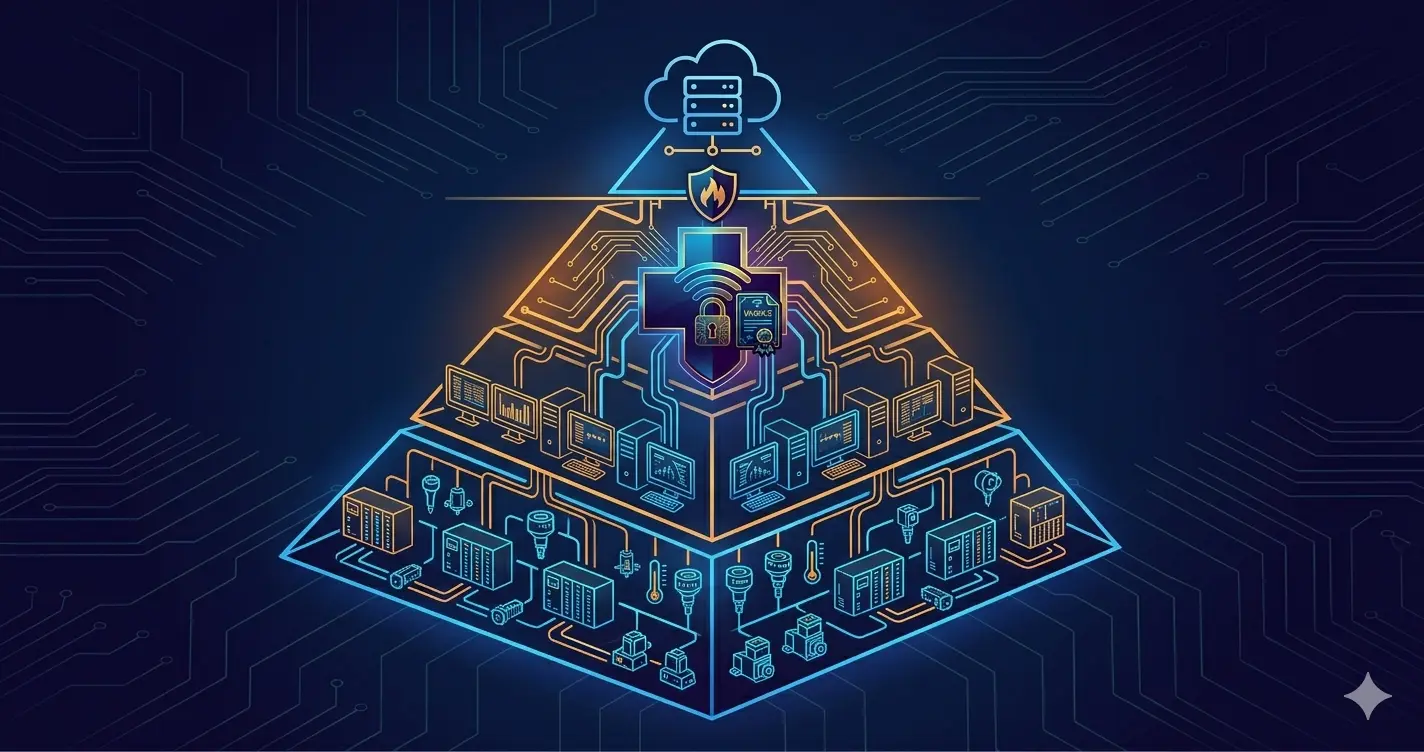
The Purdue Model (ISA-95) is the standard framework for understanding industrial network architecture. It defines levels from physical processes at the bottom to enterprise IT at the top:
Level 4/5  — Enterprise IT Network (ERP, email, corporate LAN)
─────────────────────────────────────────────────────────────
             IT/OT DMZ  ← The boundary where IT engineers work
─────────────────────────────────────────────────────────────
Level 3    — Operations / Site Management
             (Historian servers, engineering workstations,
              HMI servers, batch management)

Level 2    — Supervisory Control
             (SCADA servers, HMI clients, DCS workstations)

Level 1    — Basic Control
             (PLCs, DCS controllers, RTUs)

Level 0    — Physical Process
             (Sensors, actuators, motors, valves)
Where IT engineers typically operate: The IT/OT DMZ and Level 3. This is where the connection between the corporate IT network and the OT environment is managed. It’s where firewall projects, historian connectivity, remote access solutions, and network segmentation work happens.
What IT engineers rarely touch directly: Levels 0, 1, and 2 — the actual control systems, PLCs, and SCADA components. These are the domain of OT/automation engineers and equipment vendors.
The DMZ between IT and OT is the most critical boundary in industrial network architecture. It must exist. Traffic should not flow freely between the corporate network and the OT environment.
OT Protocols: What’s Running on These Networks
When you connect a network analyzer to an OT network for the first time, you’ll see protocols that don’t appear in any IT network. Understanding what they are — even at a surface level — helps you make sensible firewall and segmentation decisions.
Modbus
The oldest industrial protocol, developed in 1979. Still widely deployed in manufacturing, utilities, and building automation.
- Modbus RTU: Serial-based (RS-232, RS-485). Runs over physical serial connections, not Ethernet.
- Modbus TCP: Modbus encapsulated in TCP/IP. Runs on port 502.
Modbus has no authentication, no encryption, no authorization. Any device on the network that can reach port 502 of a Modbus-enabled controller can read sensor values or write control commands. This is not a historical oversight — Modbus was designed for isolated serial networks where physical access was the security control.
When Modbus TCP is on an Ethernet network accessible from outside the OT segment, the absence of authentication is a significant risk. The firewall policy must restrict which devices can reach Modbus-enabled controllers.
DNP3 (Distributed Network Protocol)
Common in utilities — power generation, water treatment, oil and gas. Originally designed for SCADA communication between control centers and remote field devices (substations, pumping stations).
DNP3 has basic authentication extensions (Secure Authentication Version 5), but many deployed implementations still use the original unauthenticated version. Like Modbus, it was designed for isolated networks and is often deployed without the security features that exist on paper.
OPC-UA (OPC Unified Architecture)
The modern industrial communication standard designed specifically to address the security gaps in older protocols. OPC-UA supports:
- Certificate-based authentication
- Encrypted communication
- Fine-grained authorization (which clients can read which data points)
OPC-UA is the protocol you’ll encounter in newer installations and in Historian server connectivity — it’s how Level 3 systems collect data from Level 2 controllers while maintaining a security boundary.
PROFINET
Siemens’ industrial Ethernet protocol, dominant in European manufacturing (automotive, food processing, pharmaceutical). PROFINET runs over standard Ethernet but uses specific EtherType values and is real-time sensitive — delays of milliseconds matter.
PROFINET has almost no inherent security. It assumes a physically isolated network. In environments with PROFINET controllers, the network segmentation must be strict — PROFINET traffic should never cross outside its dedicated VLAN.
EtherNet/IP
Rockwell Automation / Allen-Bradley’s industrial Ethernet protocol. Common in North American manufacturing. Similar security characteristics to PROFINET — designed for isolated networks, limited authentication.
What the IT Engineer Is Actually Asked to Do
In practice, when IT/network engineers get involved in OT projects, the request usually falls into one of these categories:
Scenario 1: “Add a Firewall Between the PC and the Machine”
The most common scenario. A Windows PC (running SCADA software or HMI) is directly connected to a PLC or production machine via Ethernet — no network device between them. The request is to add a security layer.
Before:
  [Windows HMI PC] ──────────────── [PLC / Machine Controller]

After (typical approach):
  [Windows HMI PC] ── [Firewall] ── [PLC / Machine Controller]
Layer 2 transparent firewall deployment:
The most operationally safe way to insert a firewall into this path is in Layer 2 transparent mode (also called “bump in the wire” or bridge mode). The firewall passes traffic transparently — neither device knows it exists, no IP addresses change, no routing changes. If the firewall fails, traffic can be restored by removing it and reconnecting directly.
This is important because changing IP addresses on a PLC or industrial controller often requires reconfiguring the application software that talks to it — a process that may involve vendor support, re-certification, and production downtime.
In transparent mode:
- The PLC keeps its existing IP address
- The HMI PC keeps its existing IP address
- The firewall inspects traffic and applies policy without being a routed hop
Firewall policy in this scenario is typically:
- Allow specific OT protocol traffic (Modbus port 502, PROFINET, EtherNet/IP) from the HMI to the controller
- Allow only necessary management protocols
- Block everything else
- Log all traffic for visibility
Scenario 2: “Connect the OT Network to Corporate IT”
The production team wants to get data from the factory floor into corporate systems — production statistics into ERP, sensor data into a reporting database, remote monitoring capability.
This requires a DMZ architecture:
[Corporate IT Network]
         │
    [IT/OT Firewall]   ← Strict policy: only specific flows allowed
         │
    [OT DMZ]
    [Historian Server]  ← Collects data from OT, serves it to IT
         │
    [OT Firewall]       ← Separate firewall protecting OT from DMZ
         │
    [OT Network — Level 2/3]
The DMZ principle: the corporate network cannot directly reach OT devices. The Historian server in the DMZ collects data from OT systems (allowed by the OT firewall) and makes it available to corporate systems (allowed by the IT firewall). Neither the corporate network nor the OT network can initiate connections to the other directly.
Why two firewalls and not one? If the Historian server in the DMZ is compromised, it should not provide a path into either network. A single firewall with a DMZ segment provides less isolation than two separate firewalls.
Scenario 3: “Add Network Segmentation to the Flat OT Network”
Many older OT environments have a completely flat network — all PLCs, HMIs, engineering workstations, and sometimes even corporate-connected PCs on the same Layer 2 broadcast domain. Every device can reach every other device.
Segmenting this network involves:
- Adding managed switches with VLAN capability
- Defining VLANs per device type or function (Level 2 controllers, Level 3 supervisory, engineering workstations)
- Routing between VLANs through a firewall with strict inter-VLAN policy
The critical constraint: Before making any network change, document the existing communication flows exhaustively. Which devices talk to which devices? On which ports? Segmentation that breaks an undocumented communication path between a PLC and its controller will stop the production line.
In IT environments, you can often discover flows by monitoring for a few days and then implementing. In OT, some communication flows only occur during specific production phases — a weekly batch process, an end-of-shift report — and won’t appear during a short monitoring window. Work with the OT team to document all communication requirements before implementing segmentation.
OT-Aware Firewalls: What the Vendors Have Built
Standard IT firewalls (even NGFWs) have limited visibility into OT protocols. They can inspect IP headers and TCP/UDP ports, but they cannot understand the content of a Modbus TCP command — they can’t distinguish “read sensor value” from “write control command to actuator.”
OT-aware firewalls add industrial protocol inspection — the ability to parse OT protocol payloads and make policy decisions based on protocol-specific content.
The Signature Difference
A standard NGFW might have 2,000–5,000 application signatures — predominantly IT applications (HTTP, TLS, DNS, SMB, Office 365, etc.). An OT-capable firewall license adds hundreds of additional signatures for industrial protocols:
- Modbus TCP: Distinguish read requests (acceptable from HMI) from write commands (restrict to authorized systems only)
- PROFINET: Identify and control specific PROFINET services
- EtherNet/IP: Parse CIP (Common Industrial Protocol) commands
- DNP3: Inspect DNP3 function codes and object types
- OPC-DA/UA: Control OPC communication direction and data types
- BACnet: Building automation protocol inspection
- Dozens more industrial and building automation protocols
Why this matters: Without OT protocol inspection, a firewall can only control “can this IP reach that IP on this port.” With OT inspection, it can enforce “the HMI can read Modbus holding registers from the PLC, but cannot write to coils” — a fundamentally different level of control.
Vendor Landscape
Fortinet FortiGate with OT Bundle: Fortinet offers specific OT/ICS licensing that extends the base NGFW with industrial protocol signatures and OT-specific threat intelligence. The FortiGate can be deployed in transparent mode (Layer 2) or routed mode. In environments already running FortiGate for IT, the same platform handles both.
Palo Alto Networks with ICS/SCADA content: Palo Alto’s App-ID engine includes industrial protocol identification. The Industrial IoT Security subscription adds OT device visibility, risk assessment, and protocol-specific policies. Zone-based architecture maps well to Purdue model segmentation.
Claroty, Nozomi Networks, Dragos (OT-specialized): These are not traditional firewalls — they are OT-specific security monitoring platforms. They connect to the OT network via SPAN port (passive monitoring) and provide deep visibility: asset discovery, protocol analysis, behavioral baseline, anomaly detection. They don’t block traffic but give visibility that generic IT tools cannot provide. Often deployed alongside a standard firewall.
Cisco Industrial Network Director: Cisco’s OT-focused management and security platform, integrating with Cisco industrial switches and firewalls for OT network visibility.
Licensing Reality
OT firewall capabilities are licensed separately from standard IT NGFW features. If you’re specifying a firewall for an OT project, the standard enterprise license is not sufficient — you need the OT/ICS bundle or equivalent. This affects both cost and the vendor selection conversation with the customer.
The Patch Problem: Legacy Systems You Cannot Touch
In IT, patching is routine. Monthly patch cycles, automated deployment, centralized management. In OT, patching is often impossible.
The reasons are specific and legitimate:
Vendor certification: Industrial equipment manufacturers (Siemens, Rockwell, Schneider, ABB, etc.) certify their systems with specific software versions. Changing the OS version or applying an OS patch may void the equipment certification, triggering a re-validation process that can cost more than the original equipment and take months.
Production dependency: Patching requires downtime. In continuous process industries (chemical plants, steel mills), “downtime” may mean a scheduled annual maintenance window — one opportunity per year to apply patches.
End-of-life software: You will encounter Windows XP, Windows 2003 Server, and even older systems running critical industrial software. Microsoft has not released security patches for these systems in years. They cannot be upgraded because the industrial software running on them hasn’t been validated on newer Windows versions.
What this means for network security:
If you cannot patch the systems, you must compensate with network controls:
- Strict network segmentation: Systems that cannot be patched must not be reachable from any network that could expose them to internet-sourced threats
- Application whitelisting: Only specifically authorized applications can run on OT endpoints (where the endpoint OS supports this)
- Compensating controls: The firewall must do the work that patching would normally do — restricting the attack surface through network policy
- Offline antivirus updates: AV updates pushed via USB or offline media in air-gapped environments, rather than internet connectivity
The security conversation in OT is not “patch your systems” — it’s “how do we protect systems we cannot patch through network architecture and compensating controls.”
802.1X and NAC in OT: Why Standard IT Approaches Don’t Transfer Directly
802.1X port-based network access control is standard in enterprise IT. In OT, it creates specific challenges:
PLCs and controllers don’t have 802.1X supplicants. A Siemens S7 PLC or an Allen-Bradley ControlLogix controller does not run a standard operating system with an 802.1X client. It cannot authenticate itself to a RADIUS server using username/password or certificate. It will simply not connect to an 802.1X-enabled switch port.
MAC Authentication Bypass (MAB) as a workaround: The standard approach for OT devices is MAB — the device’s MAC address is used as the authentication credential. The switch sends the MAC address to RADIUS, which checks it against an authorized device database. If the MAC is known, access is granted.
MAB provides some control — unknown devices don’t get network access — but it’s weaker than certificate or credential-based authentication. MAC addresses can be spoofed. The value is in the visibility and in preventing unauthorized devices from connecting, not in cryptographic authentication.
The strict MAC address management requirement: MAB in OT requires maintaining an accurate database of all authorized device MAC addresses. In a dynamic IT environment, this is impractical. In OT, where devices rarely change and all additions go through change management, it’s feasible — but requires discipline.
Profiling as an alternative: OT security platforms (Claroty, Nozomi, Cisco CyberVision) can profile devices on the network — identifying PLC models, firmware versions, and communication patterns from passive traffic analysis. This provides asset visibility without requiring the devices to authenticate. The profiling data can feed into NAC policies: “if this device profile matches a Siemens S7 PLC, place it in the PLC VLAN.”
The network change risk: Enabling 802.1X on an existing flat OT network without extremely careful planning can take down the production line. Every device must be in the authorized database before enabling enforcement. The validation process must include all production phases, not just normal operation. A missed device that drops off the network during a weekend batch run can cause a Monday morning incident.
Practical Checklist: Before You Touch an OT Network
From field experience — things that should happen before any network change in an OT environment:
- Talk to the OT team first. The automation engineers and plant operations staff know things about the network that aren’t documented. Their input is essential before any change.
- Document existing communication flows. Which devices talk to which, on which ports, at what frequency. Don’t rely on short-term monitoring — ask the OT team for documentation of all known communication paths.
- Understand the production schedule. When is the maintenance window? When does the facility have scheduled downtime? Changes should align with these windows, not be imposed on production.
- Test in a lab or staging environment if possible. Many vendors provide lab environments or simulators for their industrial equipment.
- Have a rollback plan. For Layer 2 firewall insertion, the rollback is removing the firewall and reconnecting directly — document this procedure so it can be executed quickly if needed.
- Coordinate firmware/config backups. Before making any network change, ensure OT device configurations are backed up. If a PLC needs to be power-cycled, its configuration should be recoverable.
- Define what “working” looks like before and after. Agree with the OT team on acceptance criteria — which systems must be reachable, which processes must be running — before declaring a change successful.
Key Takeaways
- OT networks prioritize availability over confidentiality — this inverts many IT security assumptions and must inform every decision.
- The Purdue model defines where the IT/OT boundary sits. The DMZ between Level 3 and corporate IT is where IT engineers most often operate.
- OT protocols (Modbus, PROFINET, EtherNet/IP, DNP3) have no authentication or encryption. Network controls are the primary security mechanism.
- Layer 2 transparent firewall deployment is the safest way to add security between OT devices — no IP address changes, no routing changes, reversible without configuration changes.
- OT-aware firewalls understand industrial protocols and can enforce policy at the protocol level (allow reads, block writes) — a fundamentally different capability than IP/port filtering.
- OT firewall licensing is separate from IT NGFW licensing — factor this into project scoping.
- Unpatched legacy systems are normal in OT — compensating network controls replace what patching provides in IT.
- 802.1X doesn’t transfer directly — PLCs can’t authenticate. MAB and device profiling are the practical alternatives.
- Coordinate with OT teams before touching anything — the consequences of network mistakes in production environments are significantly more serious than in IT.
Related Articles
- 🔐 802.1X Identity-Based Architecture in the Field — How 802.1X works in IT environments, and why OT is different
- 🔐 The Zero Trust Mindset: Engineering Security as an Architecture — Zero Trust principles applied to IT/OT boundary design
- 🛡️ DDoS Protection Strategies — Protecting OT-connected infrastructure from volumetric attacks
- 🏗️ IT Infrastructure Is Not a Collection of Products — Systems thinking that applies equally to OT network design