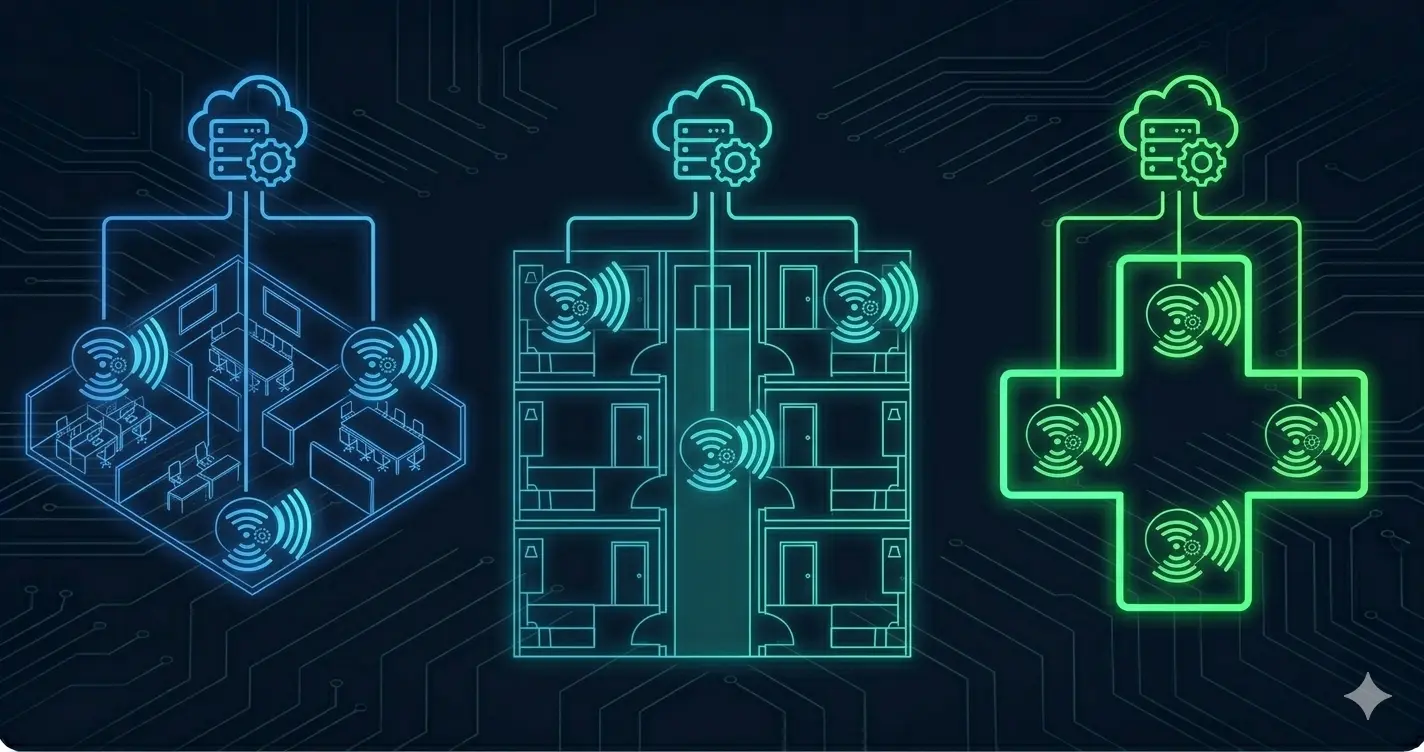
WiFi Design for SMB, Hotels, and Medical Practices: Field Notes
This article is part of the Enterprise WiFi series.
New to enterprise wireless? Start with the overview: Enterprise WiFi Architecture: From Standards to Deployment
Why Environment Type Matters More Than Equipment Brand
A WiFi 6 AP from any major vendor will outperform a WiFi 5 AP in a lab. In a real building, the difference between a good deployment and a failed one has almost nothing to do with the AP hardware — it comes down to design decisions specific to the environment.
A hotel has fundamentally different requirements than a medical practice. A logistics warehouse requires a completely different approach than a law firm. The AP is just a radio — the design determines whether it serves its environment.
This article covers three common deployment scenarios with specific design patterns, common mistakes, and field notes from actual deployments.
Part 1: SMB WiFi Design
The “Just Add Access Points” Trap
The most common SMB WiFi failure: someone installs two or three APs based on internet coverage maps, reports that “WiFi is everywhere,” and three months later everyone complains the WiFi is slow.
Root causes, almost always:
- APs placed where cables were easy to run, not where coverage is needed
- Single AP trying to cover too large an area at usable data rates (signal strength ≠ throughput)
- No band steering — older phones and printers monopolizing 2.4 GHz
- No QoS — a single user’s file backup consumes bandwidth that 10 other users are waiting for
- No guest/staff separation — guests on the corporate network
Coverage Planning for SMB
A rough starting point for typical office environments:
| Environment | AP Coverage Area | Notes |
|---|---|---|
| Open office, low density | 150–200 m² | Modern WiFi 6 APs, moderate client count |
| Open office, high density | 80–100 m² | Many clients, video calls, high throughput |
| Office with interior walls | 80–120 m² | Walls attenuate signal; test before finalizing |
| Corridor / hotel hallway | 20–25 m per AP | Narrow coverage pattern |
| Warehouse / large open space | 300–500 m² | Low density, high ceilings, RF propagates well |
These are starting points, not rules. The only way to validate coverage is a site survey — predictive before deployment, validation after.
The Network Segmentation Baseline
Every SMB deployment should have at minimum three SSIDs mapping to three VLANs:
SSID: CompanyNet     → VLAN 10 (corporate devices, full LAN access)
SSID: GuestWiFi      → VLAN 20 (internet only, isolated from VLAN 10)
SSID: IoT/Printers   → VLAN 30 (printers, cameras, isolated)
The guest VLAN must be firewall-enforced isolation — not just a different subnet with no firewall between them. A guest device must be able to reach the internet and nothing else. The firewall rule is explicit: VLAN 20 → internet only, VLAN 20 → VLAN 10 deny.
Band Steering and QoS
Band steering in SMB environments: configure APs to steer clients to 5 GHz whenever possible. Most modern business laptops and phones are 5 GHz capable. Printers and older IoT devices often only support 2.4 GHz — placing them on the dedicated IoT SSID handles this without affecting other users.
QoS basics for SMB:
- Mark or prioritize VoIP/video traffic (DSCP EF for voice, AF41 for video)
- Set per-user bandwidth limits on the guest VLAN (e.g., 10 Mbps down / 5 Mbps up per device)
- Consider application-aware QoS if your AP platform supports it (Meraki, Aruba)
Platform Recommendation for SMB
| Size | Recommendation | Reason |
|---|---|---|
| 1–5 APs, no IT staff | Aruba Instant On | Simple app-based management, solid hardware |
| 5–20 APs, basic IT staff | Cisco Meraki or Aruba Central | Cloud management, good visibility |
| 20+ APs, IT team | Aruba Central or Cisco DNA Center | Enterprise features, policy integration |
Part 2: Hotel WiFi Design
The Hotel WiFi Challenge
Hotels are one of the most demanding WiFi environments:
- High device density: Every guest room has 3–5 devices (phone, laptop, tablet, smart TV, smart watch). A 200-room hotel has 600–1000 client devices during peak occupancy.
- Variable demand: Usage spikes at check-in, after dinner, and in the morning — with very low usage during the day. The network must handle peak load, not average load.
- Revenue dependency: “WiFi doesn’t work” is a top complaint in hotel reviews. Poor WiFi directly affects guest satisfaction scores.
- Mixed technical sophistication: The network must work seamlessly for a tech executive and a vacation traveler alike.
AP Placement: Corridor vs. In-Room
Two fundamentally different approaches:
Corridor APs:
- APs mounted in hallways, covering rooms through walls
- Lower AP count, lower installation cost
- Signal must penetrate 2–3 walls to reach guests
- Co-channel interference between corridor APs covering adjacent rooms
In-Room APs:
- AP inside each room or every other room
- Higher AP count and installation cost
- Excellent signal quality (AP is in the room with the client)
- Better isolation between rooms (lower interference)
- More complex cabling
Field experience: In modern hotel construction with concrete walls and metal-framed rooms, corridor APs often provide surprisingly poor coverage — the walls attenuate 5 GHz signals significantly. In-room or every-other-room AP placement typically delivers dramatically better guest experience. For refurbishment projects with existing cabling, corridor APs with WiFi 6 and careful channel planning are often the pragmatic choice.
Bandwidth Management: The Most Critical Hotel Feature
Without per-user bandwidth management, one guest streaming 4K video on three devices consumes bandwidth that 20 other guests are waiting for. The guest experience becomes entirely dependent on who happens to be online at the same moment.
Enterprise hotel WiFi controllers support per-user and per-device rate limiting:
Guest SSID Policy:
  Per-device download limit:  25 Mbps
  Per-device upload limit:    10 Mbps
  Per-room maximum:           75 Mbps (3 devices × 25 Mbps)
These limits ensure fairness without users noticing in typical usage — 25 Mbps per device is sufficient for HD video streaming, video calls, and normal browsing. 4K streaming requires 15–25 Mbps, still within the limit.
Premium WiFi tiers (charged additional fee) can have higher limits:
Standard Guest: 25 Mbps per device
Premium Guest:  50 Mbps per device
Corporate VLAN: Unlimited (staff network)
Guest Portal and Authentication
Hotel guest portals serve three functions: identification, terms acceptance, and duration management.
Common authentication models:
- Open registration: Guest enters name and email, accepts terms, gets access. Simple, no staff involvement.
- Room-number validation: Guest enters room number (and optionally surname). Integrates with PMS to verify active reservation.
- Voucher-based: Reception provides a voucher code. Useful for day visitors, conference attendees.
PMS (Property Management System) integration is the professional standard for hotels. The WiFi system queries the PMS to verify that the room number is occupied and the reservation is active. At checkout, the guest’s WiFi access is automatically revoked. No manual intervention required.
Common PMS systems with WiFi integration: Opera, Protel, Mews, Cloudbeds — all have documented integration APIs for major WiFi platforms (Aruba, Cisco, Ruckus).
Network Segmentation in Hotels
SSID: HotelGuest     → VLAN 100 (internet only, rate limited)
SSID: HotelPremium   → VLAN 101 (internet, higher rate limit)
SSID: HotelStaff     → VLAN 200 (corporate LAN, PMS access)
SSID: HotelBackOffice → VLAN 300 (management systems, POS)
SSID: HotelIOT       → VLAN 400 (TVs, thermostats, locks)
Firewall rules: Guest VLANs (100, 101) → internet only. Staff VLAN (200) → LAN + internet. Strict isolation between guest and staff networks — no exceptions.
Conference and Event WiFi
Hotels with conference facilities face a separate challenge: temporary high-density deployments for events where 200+ people are in one room with devices.
Temporary portable APs can supplement permanent coverage for these events — but they must be pre-configured and tested before the event, not deployed during setup. Coordinate with the event organizer for expected client count and usage patterns (light browsing vs. video streaming vs. presentation tools).
Part 3: Medical Practice WiFi Design
Healthcare-Specific Requirements
Medical practices have WiFi requirements that go beyond typical SMB considerations:
Device diversity: Clinical environments have an unusual mix of devices — HP laptops on the corporate network, iPads for EHR access, medical devices (infusion pumps, patient monitors, portable imaging equipment), patient smartphones on guest WiFi, and building management systems.
Compliance: HIPAA (Health Insurance Portability and Accountability Act) in the US — and equivalent regulations in Germany (DSGVO) and the EU — require that patient health information (PHI) is protected in transit. WiFi must use strong encryption (WPA2-Enterprise or WPA3) for networks carrying PHI. Guest WiFi must be completely isolated from clinical networks.
Availability: Clinical workflows depend on network access. A failed WiFi network in a busy medical practice causes genuine operational disruption — doctors cannot access patient records, EHR systems time out, and staff resort to paper workarounds.
Network Segmentation for Medical Practices
SSID: ClinicStaff    → VLAN 10  (EHR, clinical apps, full access, WPA2-Enterprise)
SSID: MedDevices     → VLAN 20  (medical devices, isolated, WPA2-PSK)
SSID: PatientWiFi    → VLAN 30  (internet only, completely isolated)
SSID: BuildingMgmt   → VLAN 40  (HVAC, access control, isolated)
The medical device VLAN (VLAN 20) is particularly important. Many medical devices use unencrypted protocols internally — they should never share a network segment with general staff or patient devices.
Medical Device Considerations
Medical devices connected to WiFi often have unusual characteristics:
- Legacy operating systems: Some medical devices run Windows XP or Windows 7 embedded OS. They cannot be updated. They must be network-accessible for clinical use but isolated from everything else.
- Static IPs: Many medical devices require static IP assignments rather than DHCP. Document these carefully.
- Frequency sensitivity: Some older medical devices work only on 2.4 GHz and are not 5 GHz capable.
- Regulatory certification: Medical devices with WiFi must be used exactly as their manufacturer certified them. Changing the WiFi network in ways that affect device connectivity may void certification and create compliance liability. Always verify changes with the device manufacturer.
HIPAA Wireless Compliance Checklist
For US medical practices (HIPAA) — and equivalent for EU (DSGVO):
- ✅ WPA2-Enterprise or WPA3-Enterprise on clinical networks (individual user credentials, not shared PSK)
- ✅ Clinical VLAN completely isolated from guest/patient WiFi
- ✅ Wireless traffic on clinical networks encrypted in transit
- ✅ Rogue AP detection enabled on the wireless controller
- ✅ Authentication logs retained (who connected, when, from where)
- ✅ Medical device network isolated from clinical and guest VLANs
- ✅ Guest WiFi terms of service documented
Common Mistakes Across All Environments
1. Not doing a site survey Planning AP placement based on floor plans without RF measurement is guesswork. Walls, furniture, equipment, and neighboring networks all affect coverage in ways that floor plans don’t capture. Always do a predictive survey before installation and a validation survey after.
2. Using consumer equipment in professional environments Consumer APs (home routers with WiFi) lack band steering, proper roaming support, per-user QoS, VLAN segmentation, and management visibility. They appear to work initially and reveal their limitations under load or over time.
3. Deploying without VLAN segmentation Guest devices on the same network as corporate devices is a security failure waiting to happen. This is not optional in professional environments.
4. No monitoring An AP that has rebooted in the middle of the night, a client that has been connected to the wrong AP for a week, a channel change that caused interference — none of these are visible without wireless monitoring. Set up alerts for AP availability, client count anomalies, and channel utilization.
5. Ignoring power over Ethernet (PoE) planning Enterprise APs require PoE. A Cisco or Aruba WiFi 6 AP with multiple radios draws 20–25 watts. A 48-port switch with all ports providing 25W exceeds the switch’s total PoE budget. Plan PoE capacity before buying hardware.
Key Takeaways
- WiFi design is environment-specific. The design patterns for a hotel differ fundamentally from an office, which differs from a medical practice.
- Bandwidth management per user is non-negotiable in hospitality environments — without it, fairness is impossible.
- PMS integration in hotels automates guest access lifecycle without staff involvement.
- VLAN segmentation is the baseline for every professional environment — guest, corporate, IoT, and management networks must be isolated.
- Medical device WiFi requires special handling — legacy OS, static IPs, regulatory certification constraints.
- Site survey is not optional — it’s the only way to validate that a deployment will work before it’s relied upon.
This Series
- 📖 Enterprise WiFi Architecture Overview ← Start here
- 📡 802.11 Standards Deep Dive
- 🏢 Enterprise Controller Architecture: Cisco and Aruba
- 🔐 WiFi Security: WPA3, 802.1X, Rogue AP, Site Survey
Related Articles
- 📡 NAS Backup with AWS S3 — Data Security for SMBs — SMB data protection alongside WiFi
- 🔐 802.1X Identity-Based Architecture in the Field — The identity layer for enterprise wireless
- 🏗️ IT Infrastructure Is Not a Collection of Products — Systems thinking in network design